Auto-capture from 40+ sources
IndiaMart, JustDial, Facebook Lead Ads, Google Ads, web forms, and more — all flowing into one pipeline automatically.
Explore →Six stages. One connected workflow. Less manual updating.
Leads from IndiaMart, JustDial, Facebook, and Google Ads land in inboxes and spreadsheets. By the time a rep sees them, the lead is already cold.
Salesmax auto-captures leads from 40+ sources in real-time and instantly assigns them to the right rep with full context.
IndiaMart, JustDial, Facebook Lead Ads, Google Ads, web forms, and more — all flowing into one pipeline automatically.
Explore →Round-robin, geography-based, or product-based rules route every lead to the right rep instantly.
Explore →Matching phone numbers and emails are caught automatically. One contact, full history, zero duplicates.
Reps get a push notification the moment a new lead is assigned — respond in seconds, not hours.
Explore →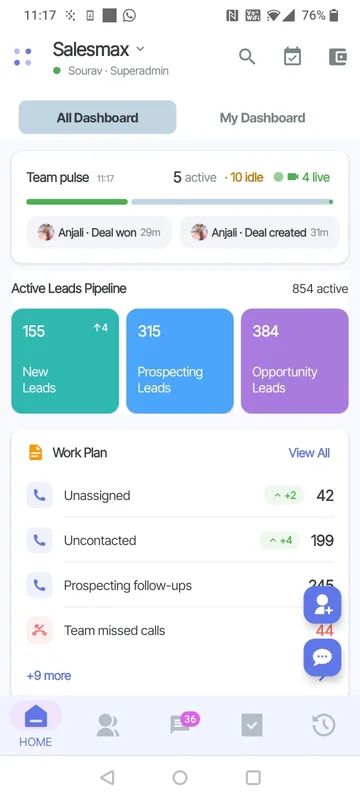
Reps spend the first hour of their day manually dialing numbers and switching between WhatsApp, phone, and CRM tabs.
One click to call or WhatsApp. Auto-dialer powers through lead lists while AI logs every interaction.
Auto-dial through your lead list. Skip busy/unanswered automatically. 3x more calls per rep per day.
Explore →Send template messages, catalogs, and quick replies from a verified business number. Green tick guidance where eligible.
Explore →Every call recorded and transcribed. AI extracts action items and sentiment — in English and Hindi.
Explore →Instant auto-reply to new leads. Business hours responder. Simple chatbot for lead qualification.
Explore →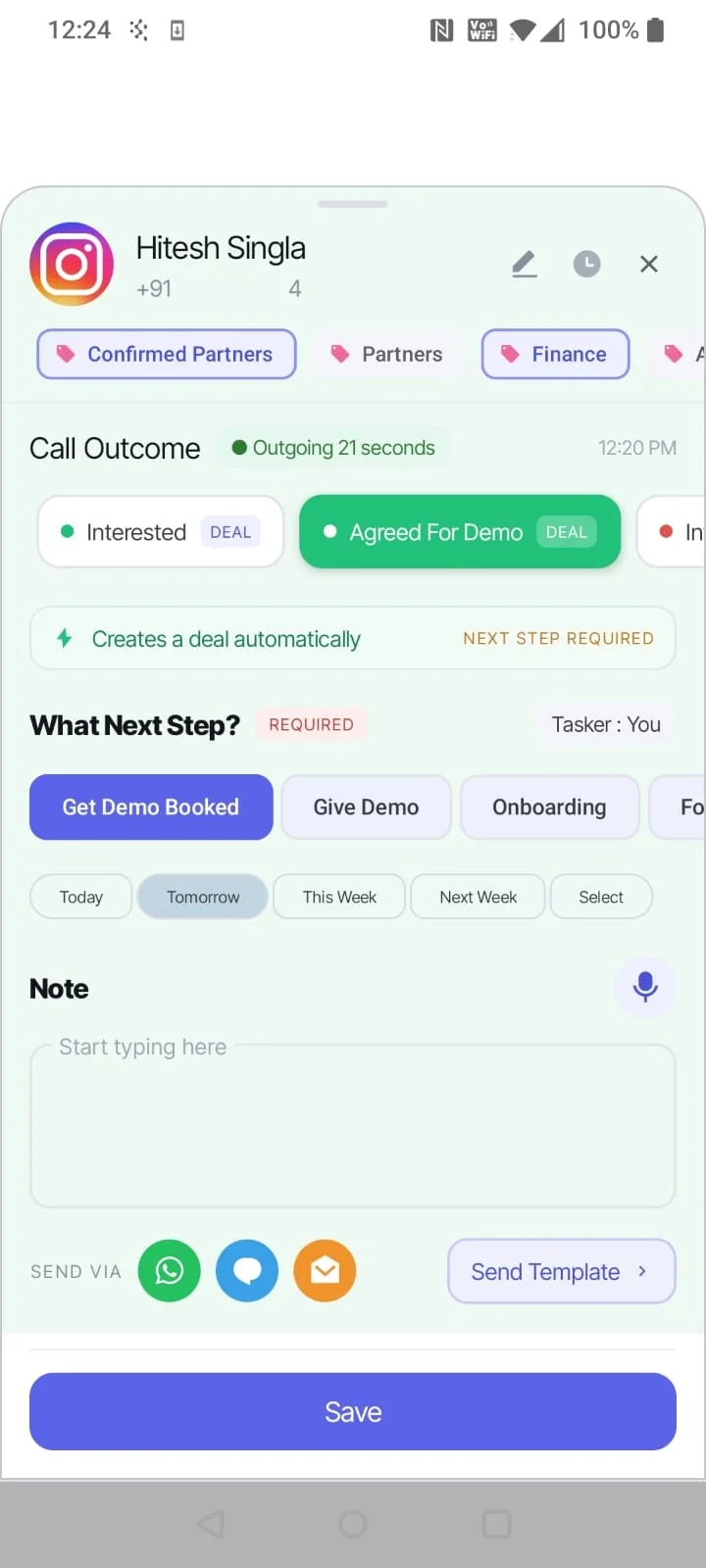
80% of deals need 5+ touches, but most reps give up after 2. Follow-ups depend on memory and sticky notes.
Automated follow-up sequences across calls and WhatsApp. AI reminds reps what to say and when — nothing slips through.
Tasks auto-created on stage changes, missed calls, and time delays. Reps always know what to do next.
Explore →AI analyzes engagement signals and recommends the best next step: call, WhatsApp, or wait.
Every call, message, email, and note in one chronological view. Full context before every interaction.
Schedule multi-step WhatsApp drip sequences — day 1 intro, day 3 follow-up, day 7 offer.
Explore →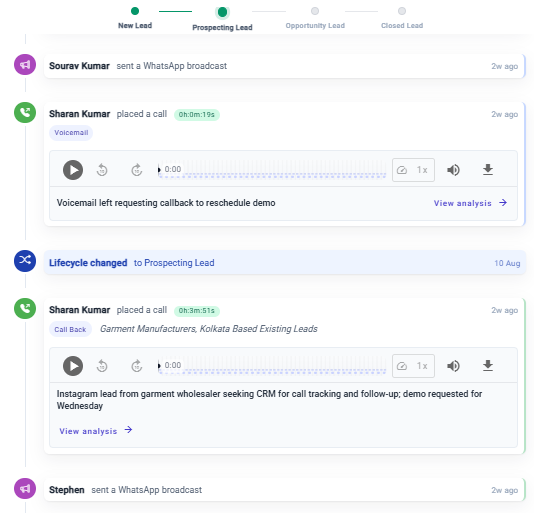
Pipeline lives in Excel sheets. Managers can't see which deals are at risk until the end-of-month review.
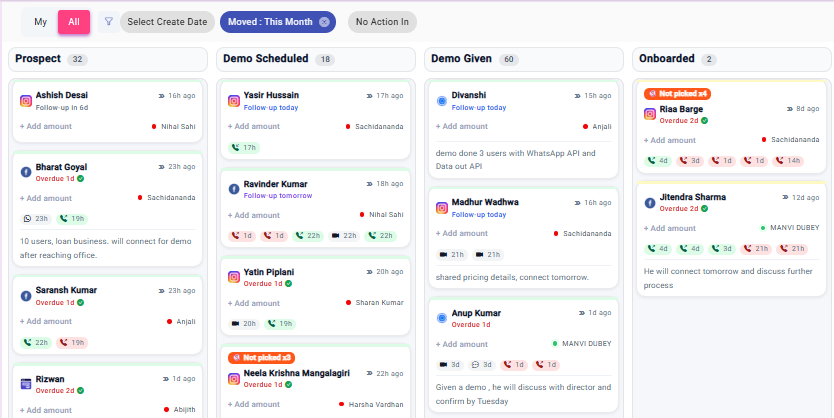
Visual Kanban pipeline with AI deal scoring. At-risk deals flagged automatically. Revenue forecast updates in real-time.
Visual pipeline board with custom stages. Drag deals across stages. See values and close dates at a glance.
Explore →Every deal scored on engagement signals — call frequency, response time, stage velocity. At-risk deals flagged.
Explore →Auto-create tasks, send WhatsApp messages, or trigger notifications when deals move between stages.
Explore →Different pipelines for different products, geographies, or teams. Each with its own stages and automation.
Quotes go out on PDF over WhatsApp. Payment links are sent separately. Nobody tracks what's been paid.
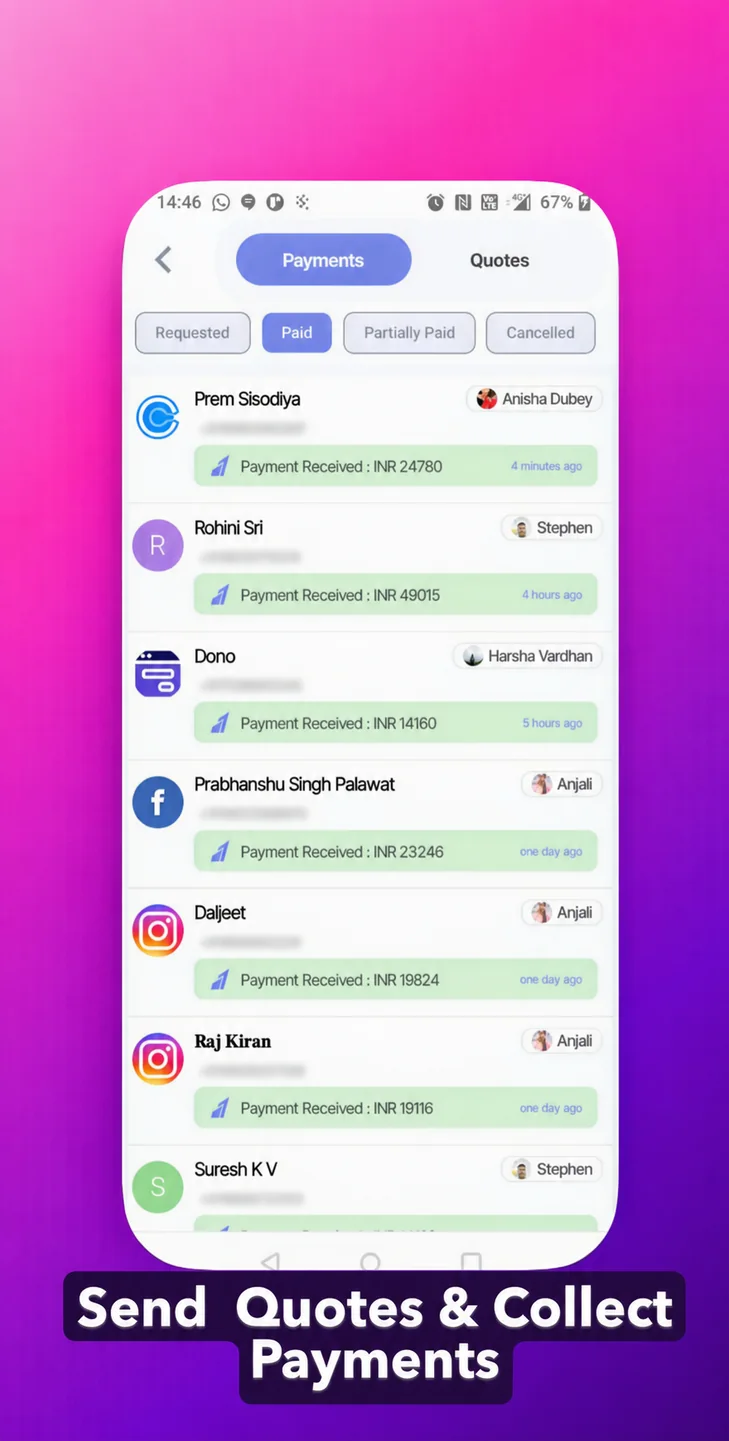
Generate quotes, send payment links via WhatsApp, and auto-update deal status when payment clears — all in one flow.
Create professional quotes in one click from deal details. Itemized, branded, and ready to send.
Send payment links directly via WhatsApp or SMS. Supports UPI, cards, net banking, and EMI.
Explore →Deal stage updates automatically when payment is received. No manual reconciliation needed.
Every payment, partial or full, logged on the deal timeline with receipt details and timestamps.
Managers rely on weekly reports compiled by reps. Data is stale, self-reported, and incomplete.
Real-time dashboards show call activity, pipeline health, rep performance, and revenue forecast — no manual reporting.
Live metrics: calls made, deals created, revenue closed, conversion rates. Updated every minute.
Explore →See exactly how many calls and messages each rep makes. Talk time, connect rate, response time — all tracked.
Explore →AI-powered forecast based on pipeline velocity, deal scores, and historical close rates. Updated in real-time.
Full CRM on Android (iOS coming soon). Works offline for field reps. Auto-syncs when back online.
Explore →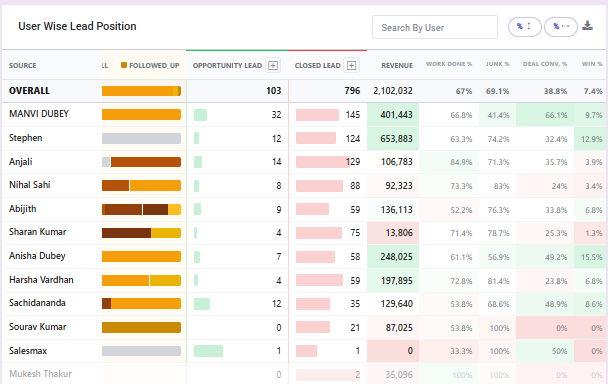
You signed up for the last CRM too. Then support took 3 days to reply and nobody helped you go live.
Every Salesmax customer gets an exclusive support channel built right inside the product, with real humans available on call, chat, and Google Meet as needed.
No generic helpdesk. Your support channel lives inside the product — raise issues, track progress, and get updates without leaving the CRM.
Text not enough? Hop on a call or a quick Google Meet. Our team is available during business hours — no ticket queues, no 48-hour waits.
We help configure your first lead sources, field mappings, and workflows during onboarding. You are not left reading docs alone.
Export your data anytime. Choose not to renew — no questions asked. We earn your renewal every year, not by trapping your data.
Create your workspace in 2 minutes. No credit card required.